 Spare Afternoon
Find the automations worth doing, in a spare afternoon
Most small businesses have a handful of routine tasks quietly eating hours every week. This kit helps you list them, score each one on time saved, return and risk, and build the best ones first, with ready-made recipes for n8n and Make.
The full kit is coming soon on Gumroad. The checklist is free now, no email required.
What's in the kit
Five practical pieces you can use on your own business, or to run an audit for a client.
Audit Workbook
List each recurring process, fill in the yellow cells, and it calculates hours saved, annual value of time, year-1 cost, net benefit, ROI, payback months and a risk score. A summary sheet ranks your top 5. Includes a risk rating guide and a worked sample row.
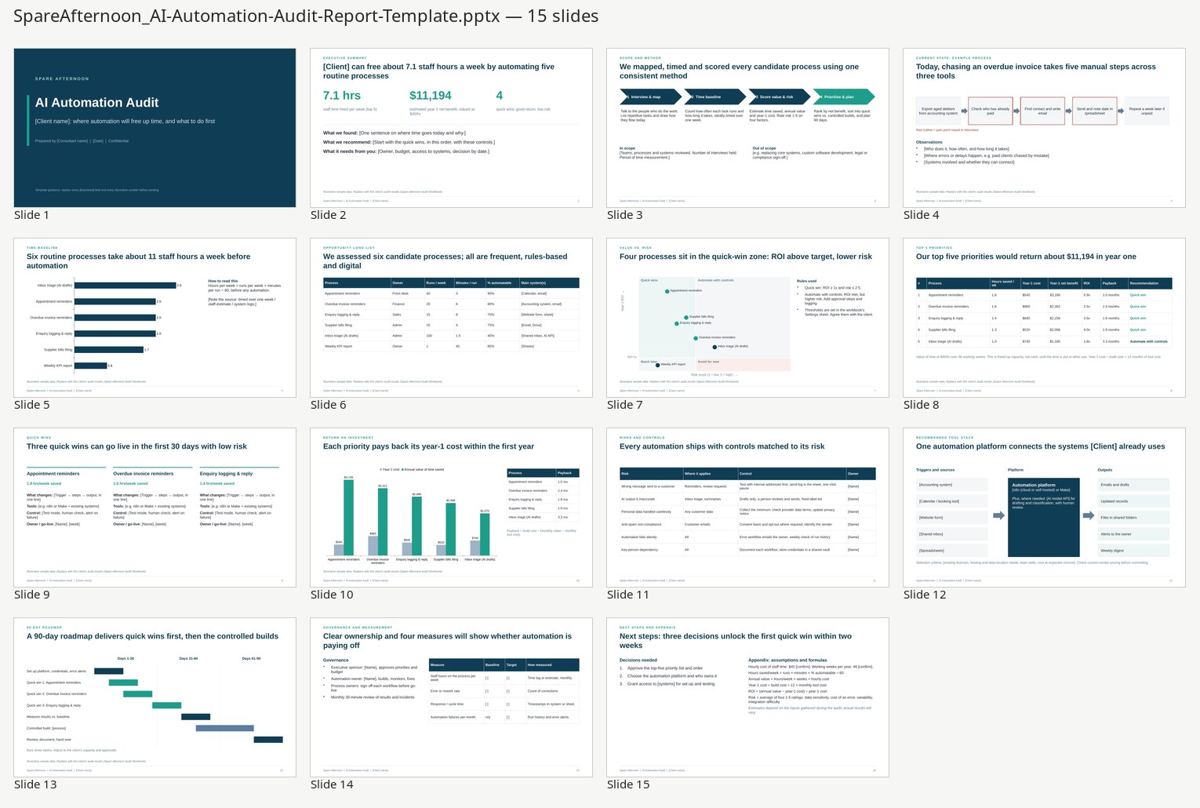
Audit Report Template
15 editable slides: executive summary, current state, time baseline, opportunity long-list, value vs. risk chart, top 5 priorities, quick wins, ROI, risks and controls, tool stack, 90-day roadmap, governance and next steps.
10 Automation Recipes
Each recipe covers the trigger, the steps, the n8n nodes and Make modules to use, a fill-in formula for time saved, and the pitfalls that usually catch people out.
9 importable n8n workflows
Starting templates for nine of the recipes. Import them into n8n, connect your own accounts and replace the placeholder values. Test with dummy data before switching them on.
Readiness Checklist
20 quick checks across five areas (worth it, clear rules, clean inputs, safe to automate, ready to run) to sort strong candidates from time-wasters.
How it works
One method, applied the same way to every task.
- List
Write down the recurring tasks in your business: invoices, enquiries, reminders, reports, onboarding. - Time and score
Enter runs per week, minutes per run, build and tool costs, and four risk ratings. - Rank
The workbook ranks every task by year-1 net benefit and flags quick wins. - Build
Start with one quick win using its recipe and n8n workflow. Run it for two weeks, then add the next.
hours saved per week = runs per week × minutes per run × % automatable ÷ 60. Freed-up time is capacity, not cash, until you put it to use.The 10 recipes
Common, rules-based jobs that most small businesses repeat every week.
- Overdue invoice reminders
- Website lead capture, auto-reply and instant alert
- Appointment reminders 24 hours ahead
- Inbox triage with AI labels and draft replies
- Weekly KPI digest
- Review request after a completed job
- Supplier bills and receipts to a folder and a log
- New client onboarding pack
- Low-stock alert
- Meeting notes to action items (recipe only, no n8n file)
Who it's for
- Small-business owners who suspect admin is eating their week
- Operations and office managers asked to "look into automation"
- Freelancers and consultants who want a repeatable audit method and a client-ready report
- Anyone comfortable with a spreadsheet and willing to try n8n or Make
Who it isn't for
- Teams wanting a done-for-you build. This is a toolkit, not a service
- Enterprises needing formal compliance or security sign-off
- Anyone looking for guaranteed savings. Results depend on your own numbers
Is this task ready to automate?
A one-page PDF with 20 checks to run on any repetitive task before you spend time or money automating it.
- Worth it: frequency, effort, cost of delays
- Clear rules: can you write the steps on one page?
- Clean inputs: digital, consistent, connectable
- Safe to automate: money, privacy, anti-spam, AI review
- Ready to run: an owner, a test plan, monitoring
One price, everything included
Instant download of every kit file once it launches. Use it for your own business, or to run audits for your clients.
- Audit Workbook (.xlsx)
- 15-slide Audit Report Template (.pptx)
- 10 Automation Recipes (.pdf and .md)
- 9 n8n workflow templates (.json)
- Readiness Checklist (.pdf)
One-off payment. No subscription.
Coming soon on GumroadNot on sale yet. Meanwhile, grab the free checklist.
FAQ
Do I need to know how to code?
No. The workbook and report are plain Excel and PowerPoint. The n8n workflows import from a file and you connect your own accounts. A few include a small Code step you may need to tweak, for example for date formats.
Which tools do the recipes use?
Each recipe lists the n8n nodes and the matching Make modules. They use common tools like Google Sheets, Gmail, Google Drive and Slack, with notes on Xero or QuickBooks where relevant. Check current pricing on each vendor's site.
Will it work in Google Sheets or Google Slides?
The files are built for Excel and PowerPoint. They should open in Google Sheets and Slides, but some formatting or charts may look different.
How accurate are the savings estimates?
They're only as good as your inputs. Time each process for a week before trusting the minutes-per-run figure. Sample numbers in the files are illustrative, not benchmarks.
Is this legal or compliance advice?
No. The recipes flag common issues like anti-spam rules, privacy and email sending limits, but you need to check the rules for your business and country.
When can I buy it?
It's coming soon on Gumroad for $39 USD. The free checklist is available now.